Team building for offsites and workshops
Turn a room full of colleagues into a human network
A free team-building game for offsites and workshops: colleagues talk, find what they have in common, and a live network graph shows the connections growing on the big screen.
Have a game code?
Your facilitator shows a 6-digit code (and a QR code) on the big screen.
How it works
Three steps from strangers to a network
The facilitator sets up a game
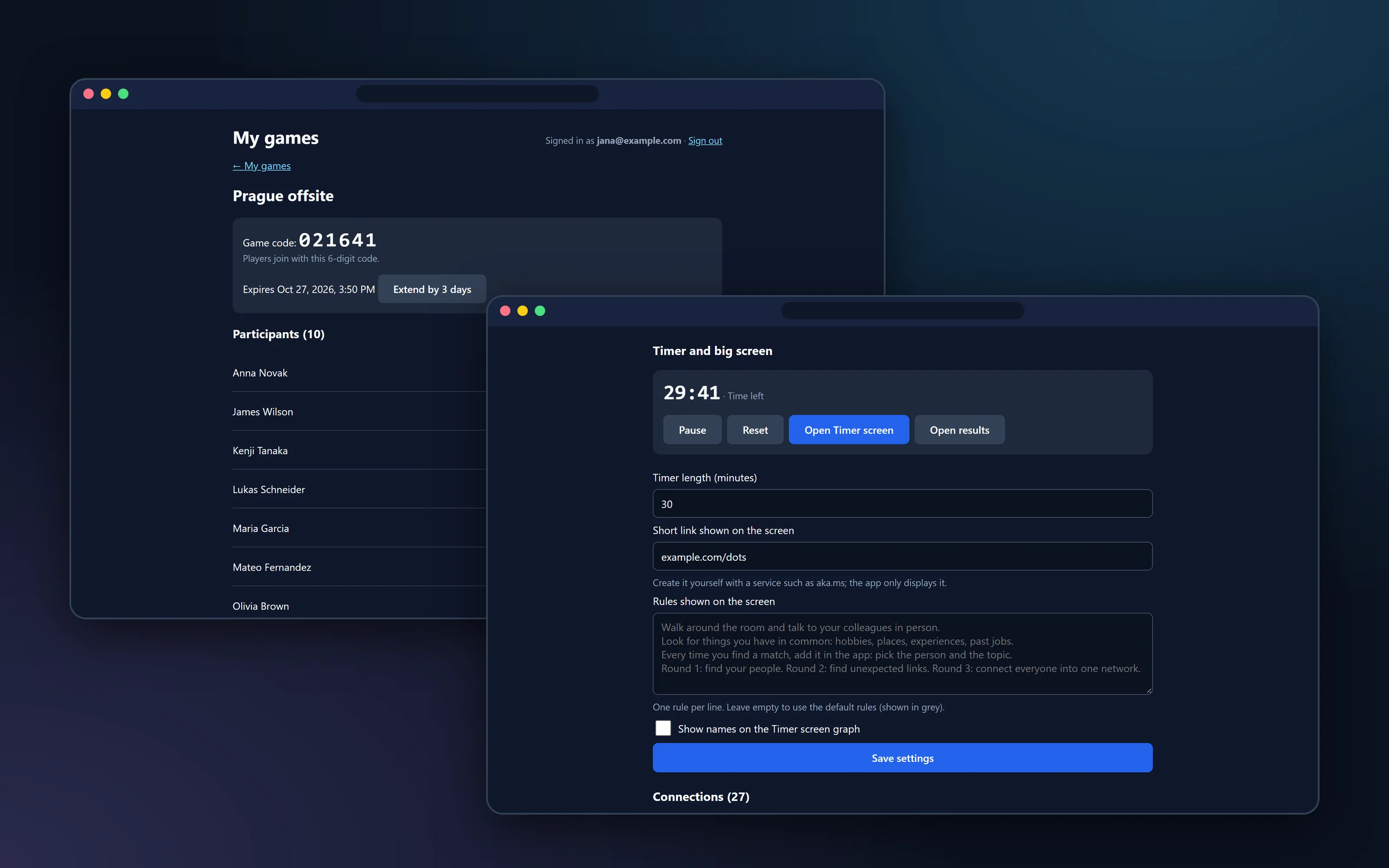
Sign in, create a game, upload the list of participants and show the join code and QR code on the big screen.
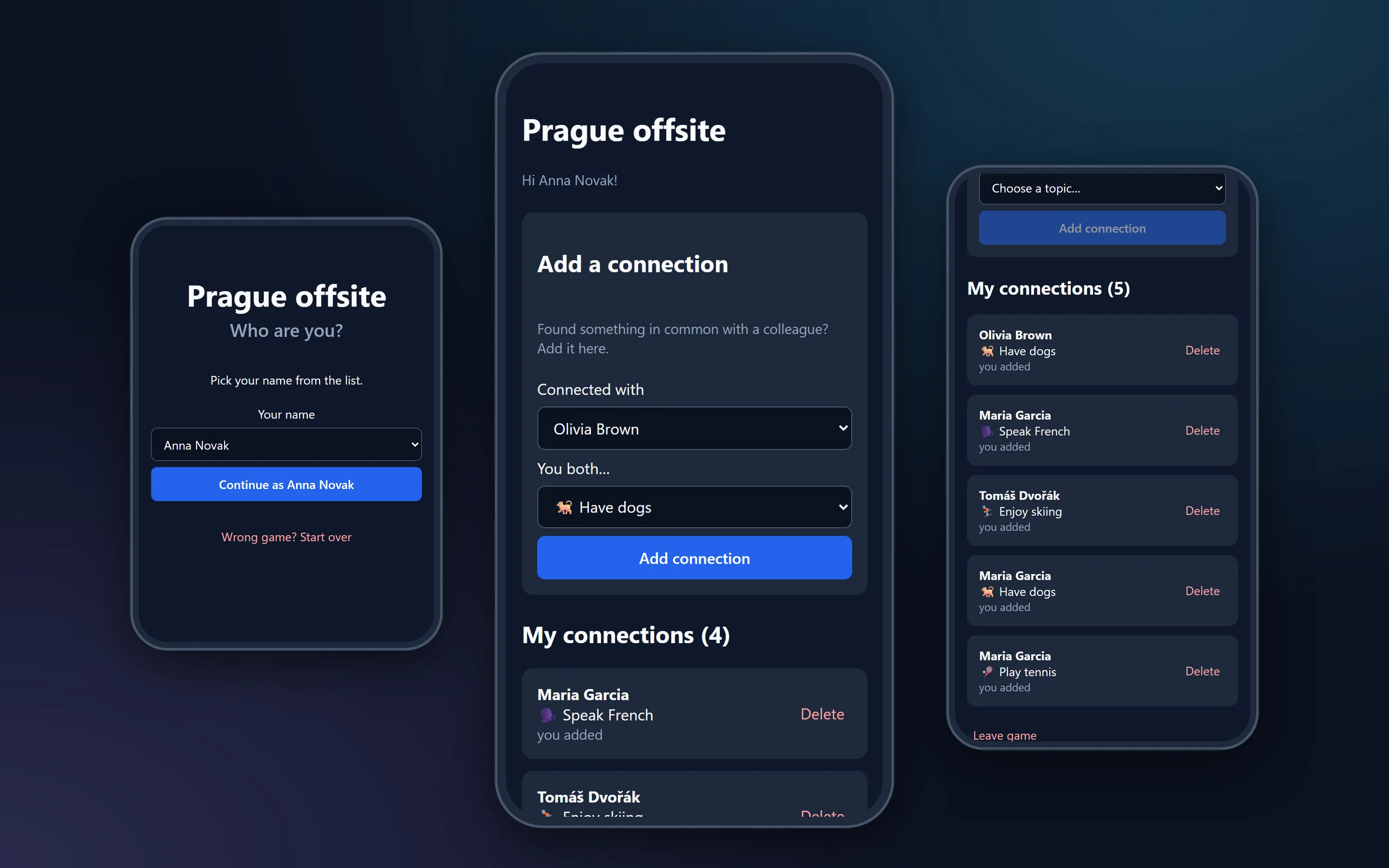
Everyone joins on their phone
Enter the 6-digit code, choose your name from the list and you are in. It takes about half a minute.
Talk, connect, watch it grow
Walk around, find what you have in common (a hobby, a country, a pet, a past job) and add it as a connection. The network on the screen grows with every conversation.
Why teams like it
Simple for players, useful for facilitators
Nothing to install
Players open a link or scan a QR code on their phone, enter a 6-digit code and pick their name. No accounts, no apps.
A live network on the big screen
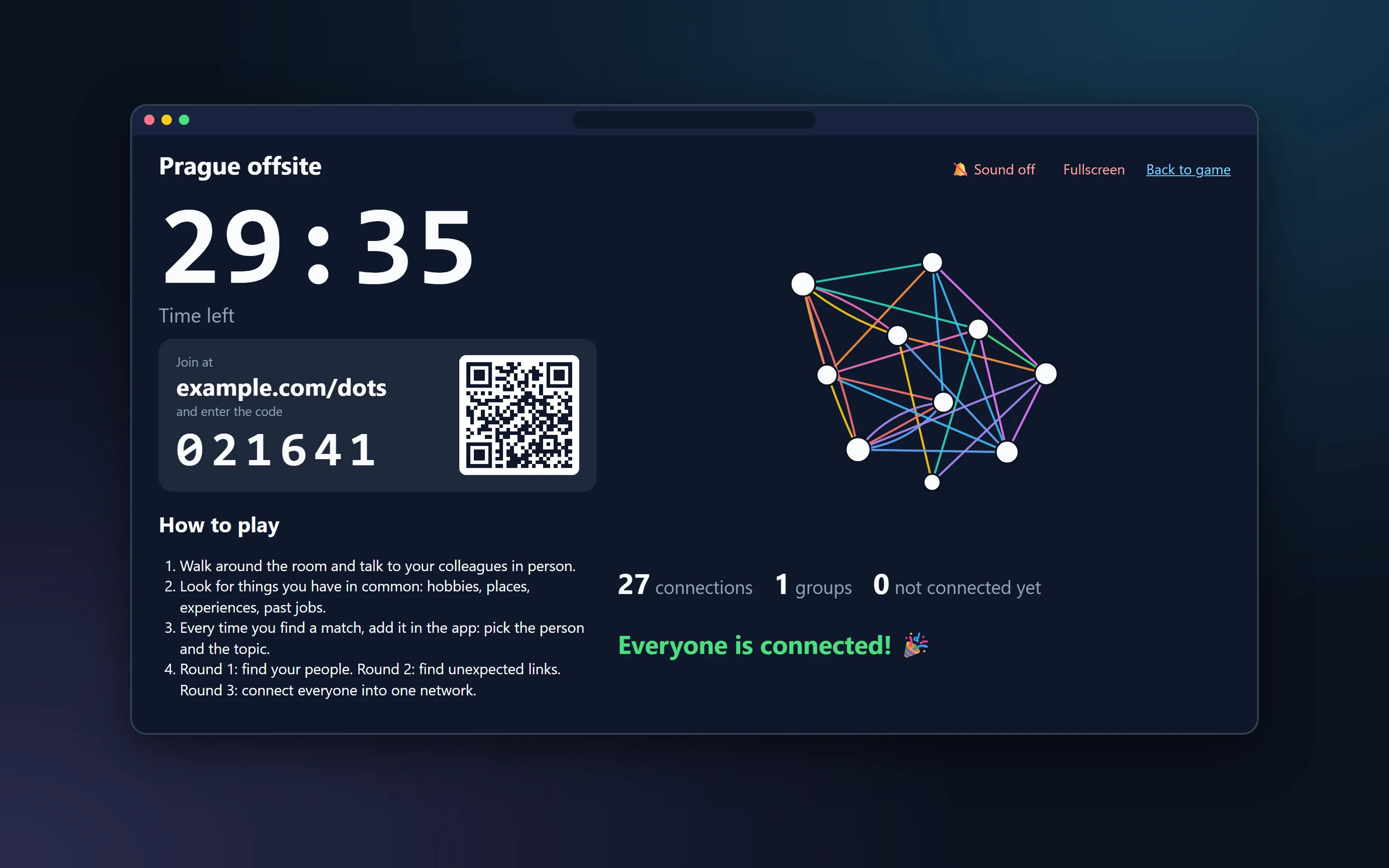
Every connection appears as a colored line the moment it is added, so the whole room watches the network grow.
Timer, rules and QR code
A projector screen with a countdown, the rules, the join code and a QR code keeps everybody on track.
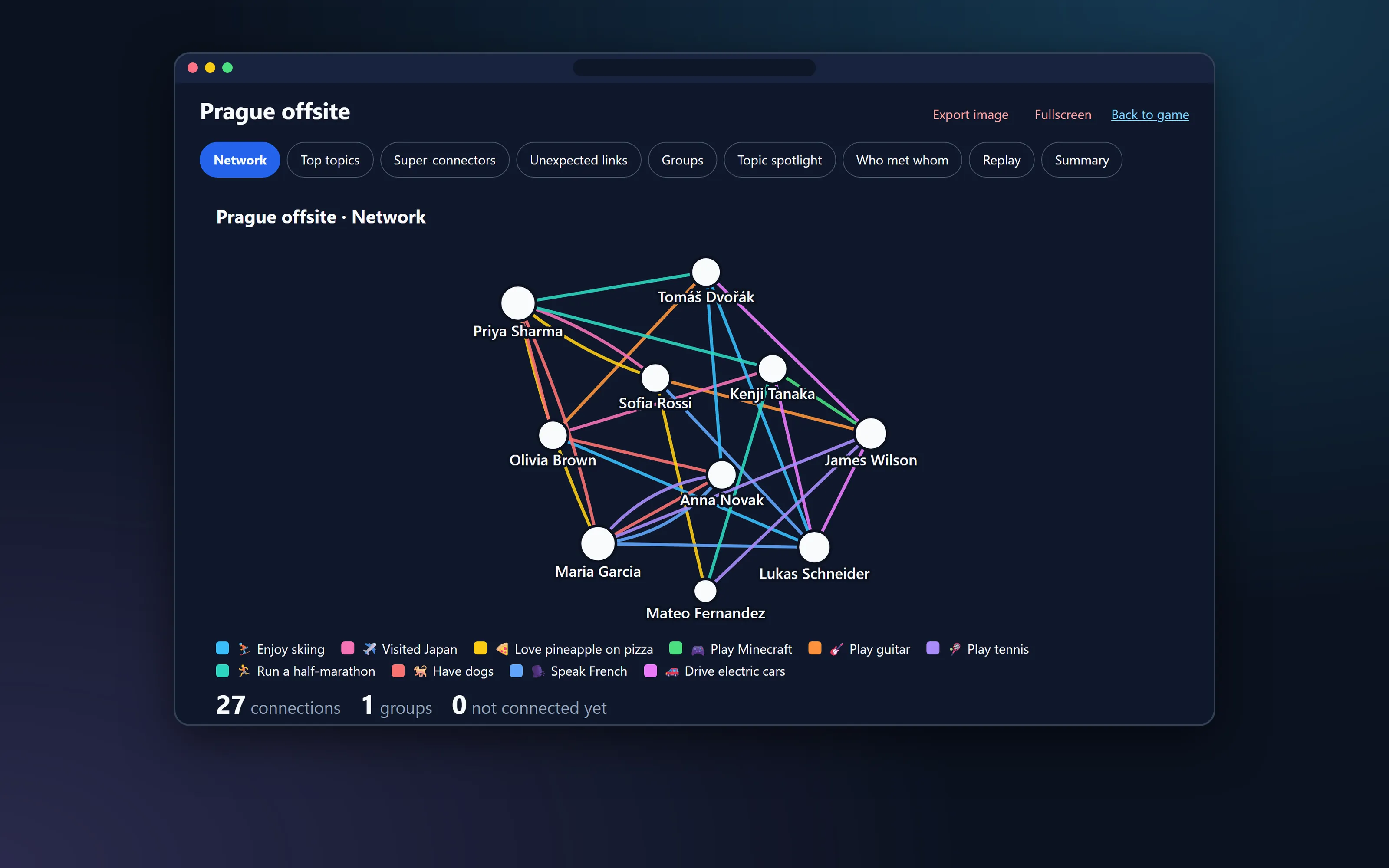
Nine ways to look at the result
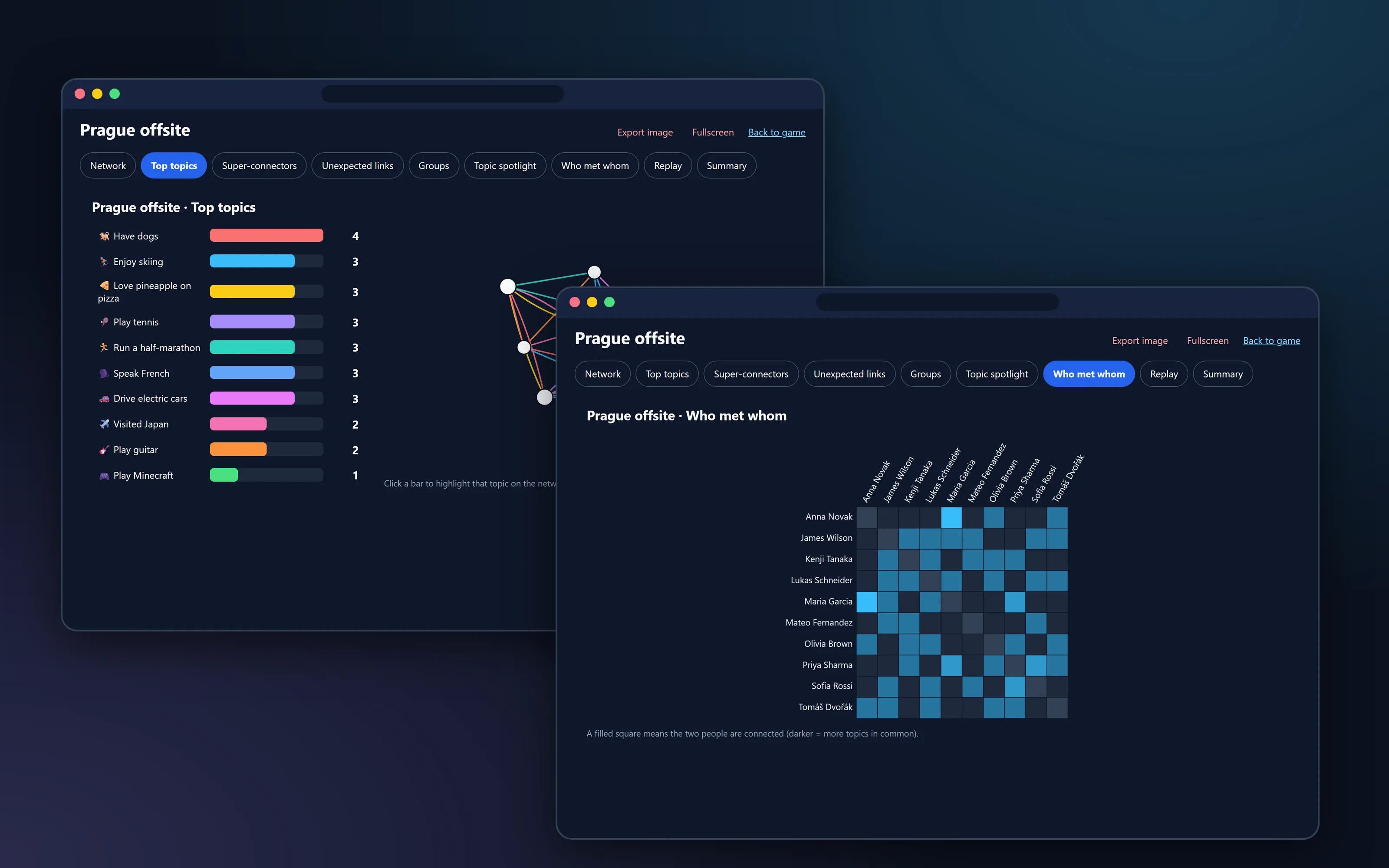
Top topics, super-connectors, surprising links, who is still alone, a replay and more, each exportable as an image.
Private by design
Players only see their own connections. No advertising, no tracking, and games delete themselves after a few weeks.
Your topics, your game
Start with ideas such as "Play tennis" or "Have dogs"; players add their own and the facilitator can merge or remove topics.
The rules in brief
Three rounds, ten minutes each
1. Find your people
Discover and record the things you share with colleagues.
2. Unexpected connections
Look for unusual links. "We work at the same company" no longer counts.
3. Connect the network
Work together until everybody belongs to one connected network.
For facilitators
Run a game in ten minutes
Sign in with a personal or work Microsoft account, create a game and you get a join code, a projector screen and a results page. You only ever see the games you created.
- Upload participants from a simple text file, one name per line.
- Start the timer and open the big-screen view with the live network, the rules and the QR code.
- Merge similar topics, remove mistakes and see the results in nine views.
- Delete the game and all its data whenever you like.
Free, as is. This service is free to use as it is, without support, warranty or service level. It can change or stop at any time. Games are kept for a limited time only, so export the results you want to keep. Please read the terms of service and the privacy policy before you run a game with your colleagues.
Open source
The code is open source
Connect the Dots is free software under the MIT License. You can read it, run your own copy and improve it.
Open source, repository coming soon
Ideas, bug reports and complaints
All feedback goes to GitHub issues, where everybody can see it: open an issue. This is a hobby-scale project without support, so please expect no guaranteed reply or deadline. Do not post personal data or security problems in public issues; the privacy policy explains how to reach us privately.
Questions
Quick answers
What is Connect the Dots?
A team-building game for groups of about 10 to 50 people in one room. People talk to each other, find things they have in common and record each discovery as a connection between two names. A facilitator projects the growing network of connections.
Do players need an account?
No. Players need only the game code (or the link or QR code) and the list of names that the facilitator prepared. Facilitators sign in with a Microsoft account.
Is it really free?
Yes. It is free to use as it is, without support or warranty. Please read the terms of service.
What happens to our data?
Only the names that the facilitator uploads and the connections people add are stored. Games close automatically after a few days and are deleted 30 days later, or immediately when the facilitator deletes them. See the privacy policy for details.